Tech Support Scams: Why a Pop-Up Telling You to Call a Number Is the Real Virus
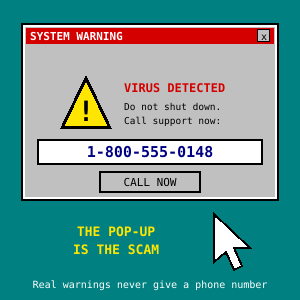 The pop-up is the scam.
The Screen That Will Not Close
You are browsing when a full-screen warning appears. It says your computer is infected, your passwords are at risk and you must not shut down. A phone number is displayed in large type, and a loud alarm may even play. The FTC describes exactly this: a fake warning, often styled to look like it comes from a well-known company, urging you to call a number. Its blunt advice is that real security warnings will not ask you to call a phone number.
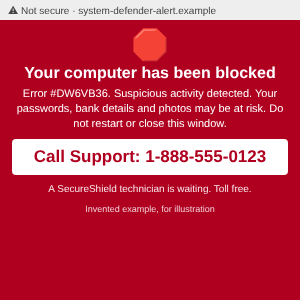 An invented example: a scary warning with a toll-free number.
Many Doors, One Phone Line
Pop-ups are only one way in. The FTC notes that scammers also call or text posing as technicians from a known company, and place their sites in search results or run display ads so that people call them. Whichever door you come through, you end up on the phone with a stranger who wants control of your computer.
A Scan That Finds Whatever They Want
Once you are on the line, the caller asks for remote access to your computer, pretends to run a scan, claims to find malware, and offers to remove it for a fee. The scan is theatre. The FTC also warns that the same access can expose your bank and card details, which is why the request for remote control is one of the biggest red flags.
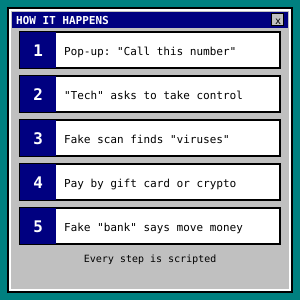 The script usually runs in this order.
When "Support" Hands You to the "Bank"
Some scams escalate. According to the FTC, the caller may claim your accounts were hacked or that your name is tied to crimes, then transfer you to a fake government employee who tells you to move your money to "protect" it. Victims are then asked for cash, gold or withdrawals. At that point, a computer problem has turned into the kind of bank impersonation scam that is very hard to reverse.
The Refund Trick
Not every scam starts with a pop-up. The FTC describes emails or texts claiming you were charged hundreds of dollars for a tech subscription, often borrowing the names of well-known security or support brands, and demanding a call within 24 hours. The scammer then guides you to a spoofed site for a "refund" and later claims that you were overpaid and must send money back.
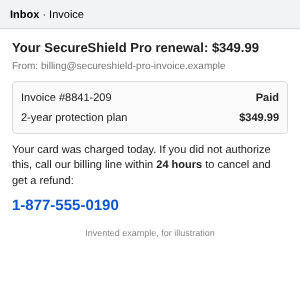 An invented example: a charge you never made and a number to call.
Payment Methods That Give It Away
What scammers ask for tells you who they are. The FTC says that people who ask for payment by gift card, money transfer, cryptocurrency or payment app are scammers, because those payments are hard to get back. They may also ask for your bank or card details, or in escalated cases for cash and gold.
How Big the Losses Are
The FBI's 2025 Internet Crime Complaint Center report, as summarized by AARP, put losses from tech and customer support scams at $2.1 billion. Adults 60 and older reported $7.7 billion in losses across all scam types, about 60 percent more than in 2024. AARP cautions that fraud is often unreported, so these numbers likely understate the real total.
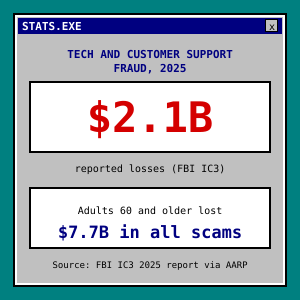 FBI IC3 2025 report, summarized by AARP.
What to Do in the Moment
Do not call the number and do not click anything on the pop-up. Use your browser's or system's normal controls to close the window, and restart if you must. If you are unsure, talk to someone you trust. If you need support from a company, look up its number on its official website, not from a message, and never share your bank, card or Social Security number with someone who contacted you.
If You Already Paid or Let Them In
If you gave out a password, change it immediately, and change it anywhere else you used it. If you paid by card or bank, check for unauthorized transactions and ask your bank or card company to reverse them. Report the scam to the FTC at ReportFraud.ftc.gov, where the reports are used to build cases against scammers.